Transcript
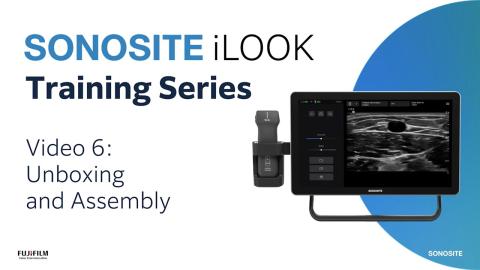
- [Narrator] Welcome to Sonosite iLOOK,
designed for vascular access.
In this educational video,
we'll be covering everything you need to know
about the Sonosite iLOOK
L15-5 megahertz wireless transducer.
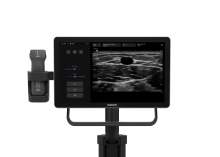
This lightweight and durable wireless transducer
provides procedural freedom at multiple bedside positions.
The integrated transducer holder
functions as a wireless charging dock
that lets you charge on the go.
The transducer operates on frequencies 15-5 megahertz,
has a scan depth range of 1.2-6.2 centimeters,
and a footprint size of 38 millimeters.
Let's begin by powering on the transducer.
Press the power button on the bottom of the transducer
for 1-2 seconds.
This is the same for powering off.
The wireless L15-5 transducer
connects to the Sonosite iLOOK system
through a direct WiFi connection
and must be registered to the system's database
when used for the first time.
To register the transducer,
first ensure it is powered on and within range.
A flashing blue light
will appear on the side of the transducer,
indicating it is on and ready for connection.
Tap the system menu icon in the top right-hand corner
to open the transducer settings menu.
Tap Connect to transducer,
then Add transducer.
A dialogue box appears.
Tap Connect.
A list appears that displays any transducers
that are on and can be registered.
Transducers are identified
by the serial number located on their label.
From the list, tap the transducer you want to add.
Once the registration process is complete,
the transducer will appear in the transducer settings menu.
The system will also connect to the transducer
every time the user initiates scanning
when both the system and transducer are turned on.
It is recommended to leave the transducer always powered on
to minimize connection time.
It is possible to register
multiple transducers to one system.
However, it is recommended to keep one transducer per system
in a multi-system use scenario.
This will reduce confusion
when it comes to transducer connection.
It is possible to rename the transducer on the system.
However, it is recommended
to keep the serial number in the name
as it can be used to confirm the registered transducer
in the future.
The system will always attempt to auto connect
to the last connected transducer.
The transducer holder on the side of the system
is also the transducer charger.
It is designed to only hold the transducer one way
to ensure secure charge connection.
It is recommended that the L15-5 wireless transducer
is always stored in the transducer holder
until the user is ready for scanning,
and placed back into the holder once scanning is complete.
This will ensure that the transducer
is available to automatically charge when not in use
and maximizes scanning time.
When the system is not connected to AC power,
the transducer will still charge with the battery
inside of the stand head.
The solid white indicator light
is shown when the transducer
is docked in the holder and charging.
When the transducer is removed from the holder,
it will show a pulsing blue light,
indicating the transducer is on and ready to connect.
When Scan mode is selected on the interface,
the transducer will auto connect
and show a green light as confirmation.
While scanning,
the power button will also act as a freeze button
when short pressed.
There are two battery indicators on the display,
one for the system and one for the transducer.
The transducer, when fully charged,
will provide approximately two hours of continuous scanning.
A pro tip for transducer battery optimization
is to short press the transducer power button
to freeze the image while not actively scanning
to conserve battery during longer procedural use.
When the transducer indicator light turns orange,
there is approximately 30 minutes left
of 2D scanning at default settings.
If the transducer is not charging,
verify it is properly seated in the charging dock
and that the system has power
either from the battery or from AC power.
If the transducer won't connect,
check that it is powered on,
charged and pulsing blue
before you press Connect on the system menu.
After turning the transducer on,
make sure to wait 10 seconds before attempting to connect.
When operating within standard hospital temperatures,
the user can expect
to continuously scan with default settings
without any transducer overheating concerns.
The transducer holder is designed with a cooling unit
to maintain transducer temperature while charging.
In rare occasions,
a warning will appear when the transducer
reaches close to its safety threshold,
informing you approximately 10 minutes prior
to the transducer shutting down for safety considerations.
For strong operational transducer performance,
maintain a clear line of sight to the system
with no physical obstructions.
The wireless connection ensures strong connection
between the transducer and the system
and will maintain connection
well within expected operational range.
Clean the transducer after each use
with appropriate disinfectants.
Use market clear transducer sheaths and gel
with sterility appropriate to the procedure.
Now it's time for you to explore on your own.
Watch more Sonosite iLOOK how-to videos online
and refer to the System User Guide on sonosite.com.
Der drahtlose Messumformer L15 5
Mit dem kabellosen Schallkopf Sonosite iLOOK können Sie sich frei am Krankenbett bewegen und die Position wählen, die für Ihren Patienten und den Eingriff am sinnvollsten ist.