Transcript
- [Narrator] Welcome to Sonosite iLOOK,
designed for vascular access.
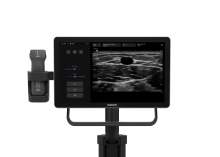
The system consists of a simple, all-touch interface,
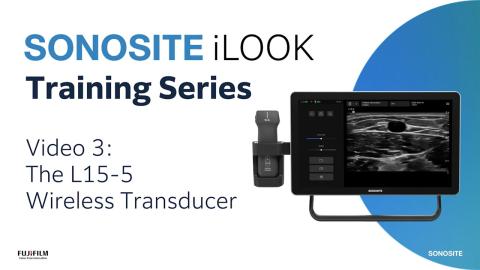
a durable, lightweight wireless L15-5 transducer,
an integrated transducer holder
with a built-in wireless charger,
an an articulating arm with an adjustment handle.
Sonosite iLOOK is designed to be used with a stand
and is equipped with a standard VESA mounting interface
that can be used for alternative mounting options
to allow for versatile system options.
The Sonosite iLOOK stand features an articulating arm
for flexible positioning
and a handle to push or pull the system,
a storage basket, a sturdy tray,
cable management for the AC power brick,
and lockable wheel casters.
The L15-5 wireless transducer is lightweight
and designed to fit comfortably in your hand,
allowing you to scan from multiple bedside positions
while maintaining your sterile field.
The wireless transducer stores nicely
in the integrated charging dock designed
to support readiness.
The charger also has a built-in cooling fan.
The Sonosite iLOOK wireless linear transducer
has a frequency range of 15 to five megahertz,
a footprint of 38 millimeters,
a scan depth of 1.2 to 6.2 centimeters,
and a PIV, venous, and arterial exam type.
To turn on the L15-5 wireless transducer,
press and hold the power button on the bottom.
It is recommended to leave the transducer turned on
at all times to maintain constant connectivity.
The transducer charges wirelessly
when placed in the holder.
The indicator light is white while charging
and turns off when fully charged.
The indicator will flash blue when requiring pairing,
green when the transducer is connected and undocked,
and yellow if less than 25% battery.
To learn more about the wireless transducer,
see the dedicated wireless transducer video.
To turn on the system, press and hold the power button
located on the back of the display
until the screen lights up.
After initial power on,
the system can remain in sleep mode
and be quickly awakened by touching the user interface.
The system features a clean, simple touchscreen interface
with intuitive controls, task-focused for vascular access.
The system has three main modules that are accessible
from the initial home screen.
Scan: This module accesses the image application
where you can perform patient exams,
enter patient information, review and export patient data,
access transducer settings, and more.
Help: This module accesses the onboard user guide
and quick guide.
Settings: This module allows you
to configure system settings,
such as date and time, and connecting to a network.
Navigate to the main image screen by pressing Scan.
In the top left corner of the interface
is a battery indicator for both the display
and the transducer.
From the Scan screen,
you can easily enter patient information
and choose the exam type.
The intuitive user interface
provides quick gain and depth adjustments
using the sliders on the left.
Activate the center line
by selecting the center line toggle.
Switch between 2D and color Doppler by tapping the C icon.
Calipers and catheter-to-vessel ratio calculations
appear automatically when the image is frozen.
From the hamburger icon on the top right corner,
you can connect to a transducer,
access the patient list and worklist,
and find basic exam settings and the user guide.
To navigate back to the system menu, select Quit.
Now it's time for you to explore on your own.
Watch more Sonosite iLOOK how-to videos online,
and refer to the System User Guide on sonosite.com.
はじめに
Sonosite iLOOKのご紹介 ― 血管アクセス専用に設計された製品です:
- 軽量なワイヤレストランスデューサー
- 一体型充電ドック
- 柔軟な取り付けオプション
余計な機能や煩わしさは一切ありません。あなたと、その処置、そして患者様だけに集中できます。